


Learn how to access the Google Play Console, navigate to Grow users > Store presence > Store listings, and update your app’s name, description, and graphics step by step.
Learn how to step-by-step create and configure a public Google Group with exact permission settings to set up closed testing for the Google Play Console.
Editing app content on Google Play Console Learn how to edit app content and upload updated builds on Google Play Console. Configure settings, increment version numbers, and launch your release.
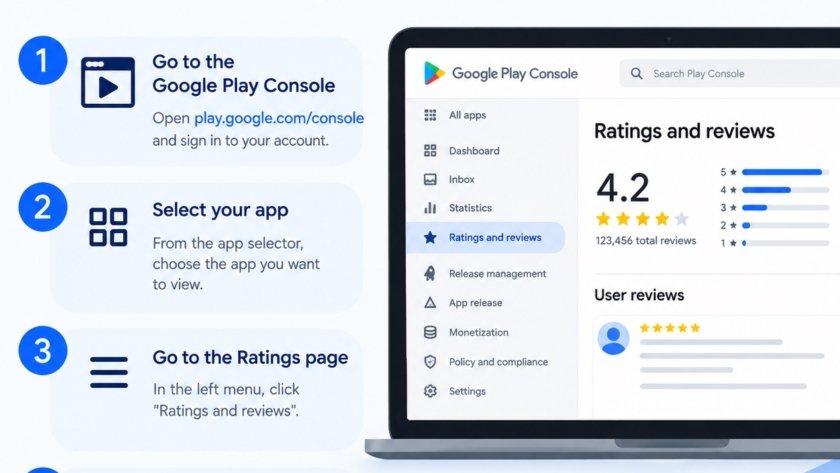
Learn how to navigate Google Play Console to find and manage your app’s user reviews and star ratings with our easy, step-by-step tutorial guide.
Answer Google Play Console production request questions honestly with full app details, policy proof and clear explanations to speed review, avoid rejection and launch successfully in production.